Friday, April 22, 2011

Over the Hill


Early on in the semester I had an idea for another class project, it was to be what Professor O'Malley likes to call an exhibition, a sort of term long project that culminates in a physical presentation. My idea was called "Finding Folklore" and it involved students asking neighbors or relatives for funny stories about their family or community. Legends from the old country, spooky houses and so on. Somewhere along the way this meshed with a daydream project I had for an English class last fall. The class was all about ghost stories and I wanted to write a cycle of supernatural stories based on the park down the street from my house, Peters Hill (aka the Arnold Arboretum). So basically I never throw anything out and sooner or later I find a way to re-purpose most of my ideas. All of that's very well and good for an English lesson, or even a history class but how to compliment it with technology?

It was important to me that the technology not feel tacked on, I wanted it to be baked into the project in a way that complimented the English goals while providing practical computer skills. The obvious approach was to make it multimedia, digital storytelling is engaging and actually fun to make. Our lesson plan proceeds in a series of steps that each involve an technological element paired with a writing skill. The steps build upon one another, the research creates the map, the map leads to the photos and videos which inspire the stories based on the research which goes on the website...The upshot is the students learn more by tackling a single theme from multiple approaches and they produce something they can be proud of, all the while learning skills that will serve them well in their futures.

Creating the Lesson Implementation was a learning experience all by itself. The outline I presented to my group was long on vision but short on specifics and citations. We sort of worked in reverse, matching things we've learned about in the class to ideas already in our outline instead of the other way around. I've never been great with group projects, I tend to have big ideas and run away with them and then get frustrated when other people can't see my vision or share my enthusiasm. I know it's a situation I need to master if I'm going to be part of a school faculty so this has been a good lesson for me in that sense. Just like people have different learning styles they have different ways of creating things. What you can't see on our outline are all of the emails and IMs that went into this project, it was truly an online collaborative effort.

My understanding of technology in the classroom has evolved since the beginning of the semester. I started out thinking it was basically word processing and google based research but now I see a whole range of possibilities. A lot of the ideas aren't exactly new to me but seeing them used in a serious pedagogical framework is and that has been the biggest take away from this course for me.  

Sunday, April 3, 2011

Online and Over the Limit! Web Based Learning and Teaching as I've known it

I am focusing on lessons that I have personally been a part of

One of my favorite English Professors at UMB, Alex Mueller, makes blogging a part of his courses. Students are required to post and comment in the persona of a character from the literature they have read. For example I spent the entire semester posting as the churlish MIller from the Canterbury Tales, rhyming in Old English even! http://quittingyourclassmates.blogspot.com/

Sure it was at times forced but the concept extended the shelf life of Cnaterbury Tales for me and really helped when I had to write a paper about Miller's character. To be honest about half the class fell behind or made clearly slapped together posts just to save their grade but that's any class assignment. 

Last Summer in order to get the sci/math requirements knocked out I took Intro to Biological Anthropology online with Prof.Todd , easily the best online course I've taken. We posted, we commented, we linked, we watched videos, powerpoints, online quizzes, pretty much everything you can do in an online class. Prof.Todd's constant involvement kept the discussion relevant and on task. The only bomb was the WIMBA session, you know, the headphones and mic session which is sorta like a chatroom? Most students couldn't manage the hook up and nothing useful was accomplished. Take it if you need it, it's a great course and you'll learn a lot about how use tech effectively!

Now for something that didn't work so well - High stakes online testing! In Latin! (Disclaimer - I did pass this course with a B+ so it wasn't a total flame out but it was the closest I ever came to dropping a course.) I took Latin II online (it makes senses because you don't speak it) and most of the course was fairly dry; submit your homework to blackboard, read this chapter and so on. When it came to the weekly quizzes, OMG, they were hard as hell and became my unending nightmare. The Prof gave you 2 hours to take them which seems generous til you understand it was like a midterm each week, I usually submitted with seconds on the clock. He also made a lot of posts about catching cheaters and getting them kicked out of UMB and into Hades or something, this made me hyper paranoid that he would suspect me of cheating if I had a bad week and then rebounded or whatever. Don't even ask about the 3 hour final, home alone with too much coffee, scarfing gummi bears, alarm clock ticking, me freaking out... Seriously, I would have rather taken the exam in person, on campus, naked, sitting on a block of ice.


Yes I know, I'm drifting off topic. Its really more of a review of classes I've taken than actual lesson plan examples, but there's value in talking about what you know instead of blindly endorsing ideas you've never seen in action. Don't think I haven't got a tech based lesson plan up my sleeve, oh no, I've been busy -


Well there you go. 

Lastly this quiet lil' blog has a few thoughts about tech ed the class might find interesting 

Saturday, March 26, 2011


As I mentioned toward the end of last week's class discussion, I much prefer talking about the lesson plans we came up with rather than the definitions. As would be teachers we're exposed to a lot of theory and precious little reality, we become adept at parroting and slightly rephrasing what we're being taught. We need to be like math teachers creating world problems, we need to put flesh on  these theories and think about what it would be like to run a classroom. Only when we find a way to make these two dimensional examples part of our approach to teaching will we get any real value from them.

I've decided to highlight a few of the best examples from my classmates, followed by a few comments on what I've learned from them.


Benjamin Boegehold - Mar 20, 2011 8:43 PM
An excellent cognitive apprenticeship would be the building of a rooftop greenhouse and garden. Or, if feasible, the operation of a small farm, under the watchful eye of a master farmer. There are elements of biology, chemistry, physical science, literature, and visual art (not to mention political science, current events, economics, etc.) that can all be incorporated into a semester (or life) long learning experience. You can't eat standardized test scores... Plus, think of how all that hard work would cut down obesity rates! 
What I find really wonderful about Ben's plan is that it so readily lends itself to the Model-Coach-Fade example. Obviously the students will need expert instruction to establish their garden. Once things have sprouted they will still require some coaching to know when to prune fertilize etc. Finally when the plants are established and blooming the students likely will so invested in the project they'll be able to garden on their own up til harvest. 
Lauren LeGendre - Mar 19, 2011 9:29 AM
A real world application for WILD could be digital data loggers such as Vernier Software's LabQuest or PASCO's SPARK. Students can attach different probes such as salinity readers to test the salinity of salt, fresh, or brackish water. There are hundreds of different applications for these data loggers since the probes can be changed depending upon the science subject matter. They have ones for measuring force, light, or even heart rate!
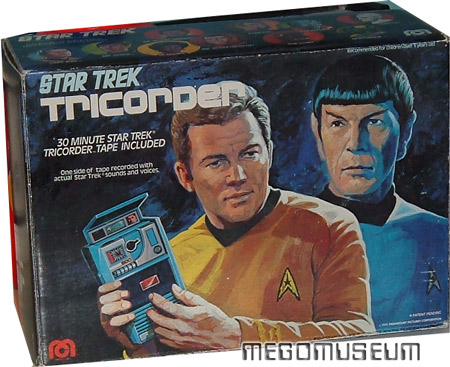
Finally a chance to be Mr.Spock with a tricorder! I'm leery of too much tech in the classroom because of the distraction factor but this example takes it out into the field where it can really enhance learning in exciting ways. I could see students even being excited to record their heart rates after rushing between classes vs after sitting all period. This is a wonderful tool for sci-eductation.
Jamie Gallagher - Mar 20, 2011 9:34 AM
Students can begin with a small hands on experiments on earthquakes. The students will discover through the experiment that there is more to learn than what is presented in the experiment. As the students begin to come up with thoughtful questions, they can then work as a collective to answer those questions through discovery. Discovery can mean, researching and learning more about the topic from internet research that takes them to the epicenter of an earthquake. Students will create a mind map throughout the discovery process as a way to delve deeper into the topic by recognizing the thoughts and questions of others.
Aside from being very topical to Japan this a great example of how going in depth can lead to greater understanding. Everyone knows earthquakes and Richter scale numbers but few actually understand how they work. Complicated factors like plate tectonics and tsunamis require the learner to investigate beyond the basic idea of the ground shaking and things falling down. This is great way to turn something in the news into a teachable moment and let the students educate themselves at the same time. 


Saturday, March 12, 2011

The Slide Show that Saved My Life

Since the first paleo-man smeared ocher on his cave wall man has sought ever more effective ways to present knowledge visually, Prezi represents the apex of this quest. Never again shall humanity be limited to soul numbing  linear progression of the Powerpoint! Drop your chalk, tear down the giant post-its and blackout the whiteboard, Prezi has arrived!!

Oh and I made one, go on and check it out and then read the rest of this post. I'll wait over here looking at the blog ads

http://prezi.com/1icwebrsixbm/how-people-learn-by-christian-scott/

See what I'm talking about? Good thing you were already sitting down eh?

So when I heard of this assignment my first thought was "Hummph, I'll just grind something out with Google Docs and Picasa, no need for yet another account." That didn't go so well, it was pathetic, see you really didn't need to click on that; its just some misshapen hump trying to get on a triangle. So off to Prezi I went and spent some time watching the tutorial clips, I know a millennial would have just plunged in but I'm old school and need directions.  The thinking behind my graphic was as follows - how do I work in what our group came up with last week into a coherent and visually appealing document? I thought that by itself it was fun and  informative, always like to use pictures of my kids (ask me which ones they are) at their school. I had a few issues with the zebra tool, there's a learning curb there which is something most modern apps do not have much of. I was sometime frustrated with how the various elements sized and overlapped but with a few clicks I was able to rule the screen handily. What didn't click with me was the path/presentation aspect, it made me seasick and made my sub-points look silly being writ large and center screen - VALUES! - with nothing to explain it. I think the next time I use this tool I'll be more aware of how the finished product will look as I compose.

Did you notice I said "next time"? I'll probably use it again, I like tools and this has potential. How does the use of this technology help me understand the material?  I'm not sure, I based my graphic off of material I had already covered and understood in the previous week so it wasn't particularly revealing to put it graphic form. I think it would be fair to say it was helpful to illustrate my thought process with Prezi.

http://www.kubrick2001.com/

Monday, February 28, 2011

My mother owned a great big book called "Society of the Mind", it was not her usual fare being sparse and almost mechanical in its tone, no doubt an artifact of some teaching conference she attended. I poured over the book because it offered a David Macaulay style explanation for what my brain cells were saying to each other. It posits that the mind works rather like a city where many agents or groups are working at seeming separate tasks but collectively they form a greater whole that represents itself as a single identity like say - Cincinnati or Chris Scott. Apparently the book, now in its third decade, is still in print  and not roundly discredited so perhaps it's worth considering in the light of learning theory.

Perhaps it is the case that so it goes with the body so it goes with mind, an individual might have some areas that are vigorous and others that are stunted and malformed. Some agents in the mind might be highly effective while other unrelated agents never really come online at all. The result of such a mismatch might be seen as learning disability or felt as frustration. Science has only begun to explore the webwork of the mind, perhaps we are as far from understanding it as medieval physicians were from understanding the black plague, our descendants may wonder how we maintained such a perfectly wrong approach for so long. Gardner proposed nine types of intelligence (and then added more), perhaps these correspond to parts of the brain itself?  

Saturday, February 19, 2011

The Blanket is Everything

For my pre-practicum I'm tutoring in a high school writing center, the room is full of ten year old computers, CRT monitors and a lone inkjet printer. Newer technology enters the room in the form of iPhones, Androids, Blackberries and other officially prohibited  personal electronics. When I worked on the map Christina and I created, I tried to imagine the design that would accurately depict the way these teenagers use technology. I thought of one girl who came in - she was googling answers to her assignment, IMing, emailing, texting on her phone and shouting responses to IMs her friend a few feet over was reading to her. Without any grand design on her part, this young woman had become the center of a communications hub. She was throwing out responses that would in turn feed the beast and cause other students to text under their desks or think of cutting remarks to make in the hallway.

It would be fair to ask at this point how this connects to learning and teaching, strictly speaking her attempts at research were going poorly, Yahoo answers was not yielding up anything useful and boolean operators were not in her toolkit. On the other hand, she was playing three dimensional chess; straddling multiple streams of communication and anticipating reactions to her actions with the quickness of a sword fighter. Skilled mind + scattered attention, map that! I'd love to teach these kids about the potential of convergence technology and cloud computing. How they could view their writing projects from anywhere with google docs or print from their iPhones or use online resources to search vast libraries. Of course to do that I'd have to beat out the gossip that dominates their lives on or offline, somehow make them motivated enough to learn a few extra steps. It would also take teachers who more open to incorporating technology into their curriculum, there's a reason that printer gets used so much - teachers like to write on papers and fear file formats they cant open, God forbid they have to search for an extension to handle a docx.

I think a mindmap such as we worked on this week would be a great way to diagram a school's relationship with technology, to highlight areas where innovations could be applied and identify distractions. Finally here's that title reference from "I Heart Huckabees" which I included because the digital world is not a map, it's a blanket.
    

Saturday, February 12, 2011

OMG, it's full of stars!

My Son and My Father, 21st Century Bonding
Letting kids use computers is like feeding them potato chips from Whole Foods. You feel like you're doing the right thing because you associate it with smart people but part of you suspects it's still junk. The after school crew at the Philbrick had lots to say about their digital lives but there were few bridges to their academic lives. Granted there are not a lot of spread sheets or research papers in the third grade curriculum and today's test driven classroom environment leaves little time for browsing the web. Some of the kids reported visiting scientific websites in the course of their studies but beyond that it's still a paper and pencil world in this outpost of the BPS.
On the home front things are a lot different, almost all of the students talked about playing this or that flash game online, with or without parental controls. None of the students are using social networking although one girl loved uploading cell phone pictures to her Mom's Facebook page. A few apparently have email accounts and one boy has an active cell phone. For me at least the biggest shock was the Death of Mario. I assumed everybody had at least a Wii but only two did and even they seemed to prefer computer games, maybe what my wife said, that I bought the Wii more for me than the kids, is true! In my childhood video game consoles were the end-all-be-all of home tech and now they seem to have fallen out of favor. The kids also had certain affinity websites they followed religiously, usually relating to toy lines, book series they were reading, sports teams and so on but none discussed posting things or participating in online community activities.

I'm not sure what it adds up to, I only know my son's relationship with technology in any great detail. I know that just as I used to get up early on Saturday to watch cartoons he gets up to sneak in computer game time before my wife wakes up. He's learned how use the basic commands on my cast off Macbook and is better at Angry Birds than I ever will be. He will explore learning websites when directed to them but much prefers to spread out with a pile of books to do his research, his latest obsession is astronomy. Recently he wanted to go outside and look at the night sky for various planets. The view from our porch was of a light flooded orange and purple city night sky, only a few stars eeked through. Remembering a commercial I had seen, I quickly downloaded the Google Sky app to my android. Pointing the phone at the sky turned the screen into a real time planetarium, the haze was gone and the constellations were made whole and for a moment, I was the coolest Dad in the galaxy.